
01 · Tools · WiFi Safety
SentryFi
Scan public WiFi before you trust it.
- Catalog
- 01
- Category
- Tools · WiFi Safety
- Platforms
- iOS · Android
- Price
- Free with ads · Pro yearly
- Languages
- 9
What it does
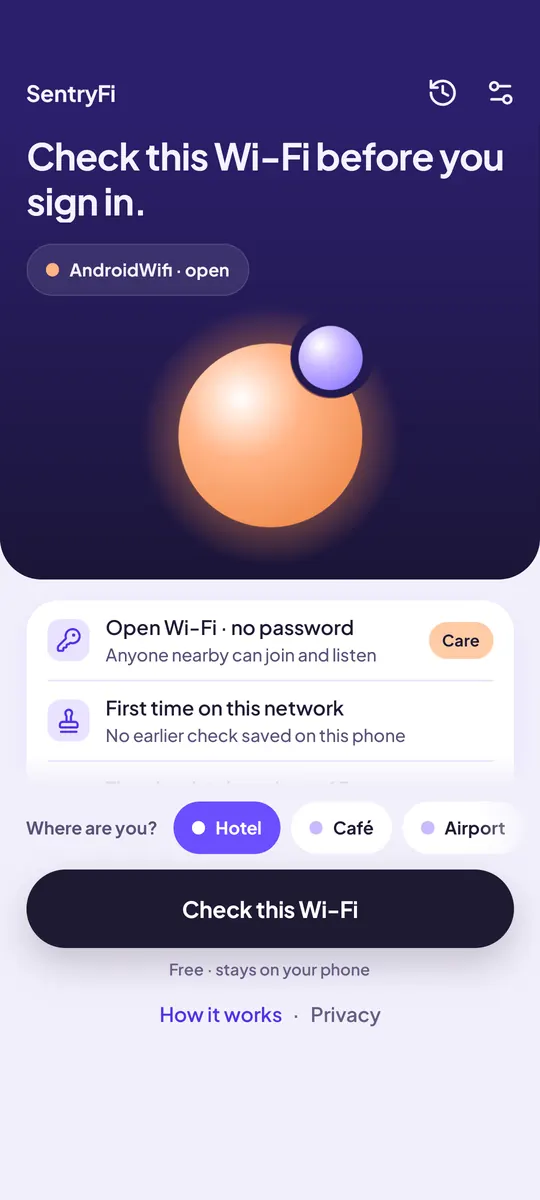
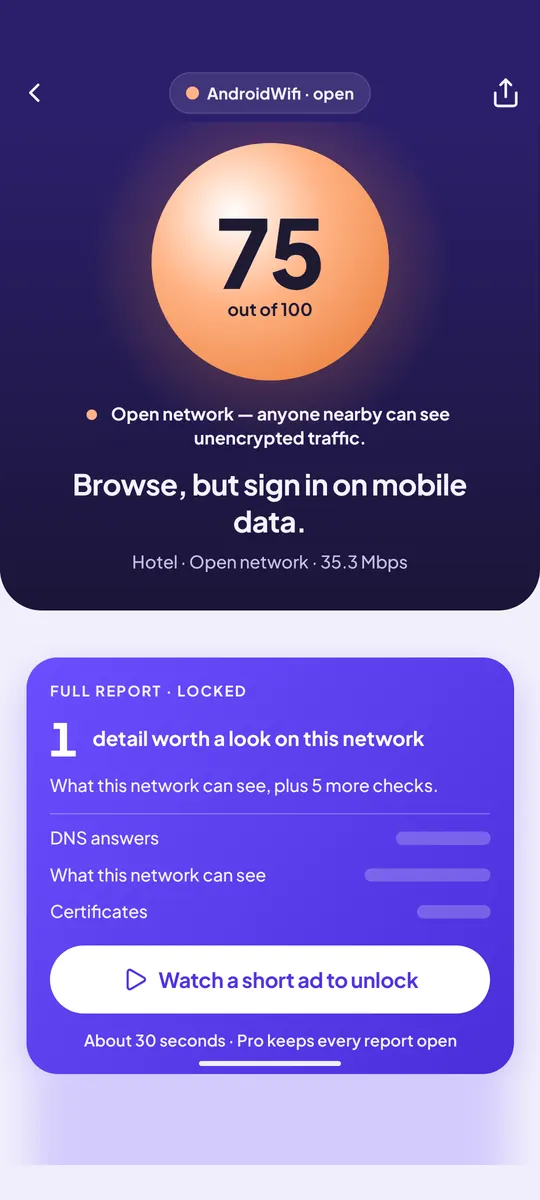
One tap gives you a 0–100 safety score, the reasons behind it, and what to do next.
- A score in secondsScan the network you’re on and get one clear number from 0 to 100. Each WiFi check takes about a second, and you watch them finish one by one.
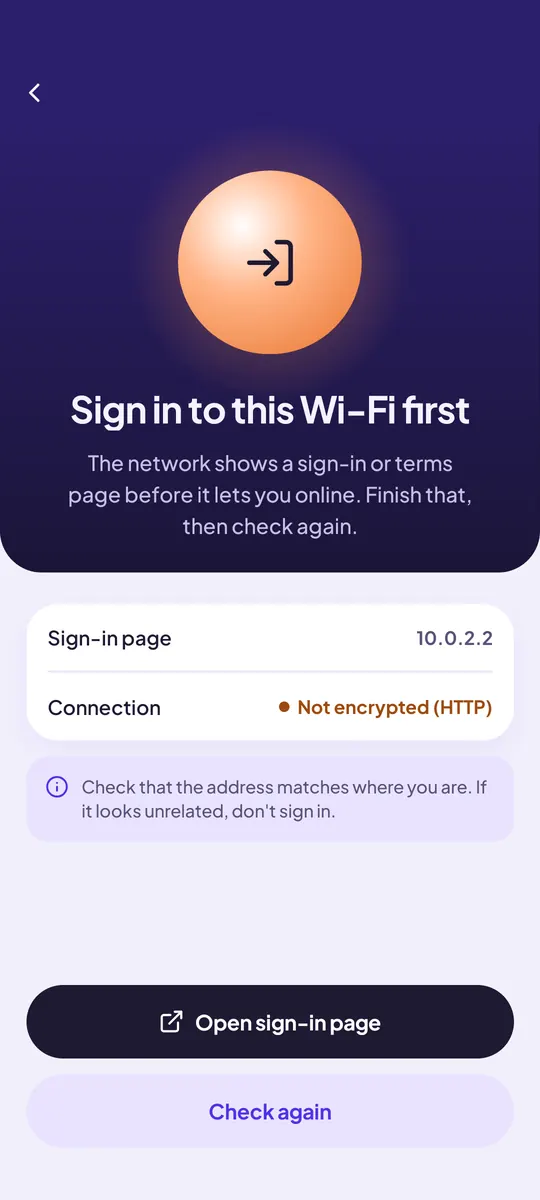
- Hidden risks, foundChecks for login portals, DNS redirects, content tampering and unstable connections.
- Reasons, then next stepsSee why the score is what it is, then what to do: skip banking, switch to mobile data.
- Stays on your phoneThe scan runs on your device. No signup, no account.
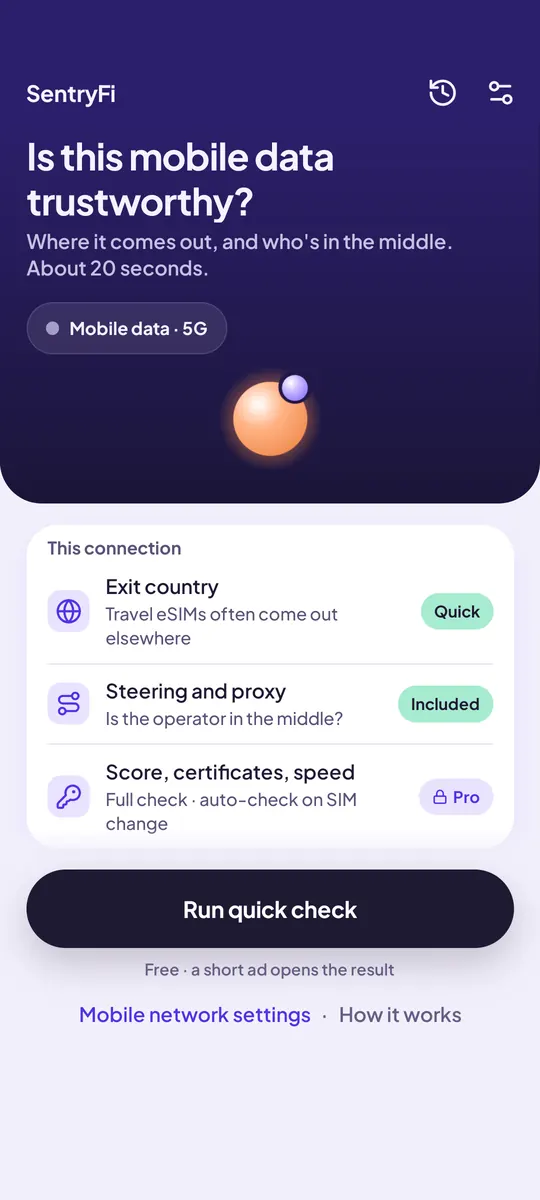
- Carrier tracking checkOn mobile data, SentryFi checks whether your carrier adds tracking headers like X-UIDH or X-MSISDN. Everyone sees the result; Pro names the header. “None found” means not detected in this test, not a guarantee.
- Blocked sites, on WiFi and mobile data30 popular sites are tried on WiFi or on your line, to reveal hotel, school, work or carrier filters. Everyone sees the blocked count and the first 3 sites; Pro lists every one. Info only, it never lowers your score.
- Line identity: where your eSIM exitsOn SIM or eSIM data, see which country your traffic exits to the internet from, next to where you are, and whether it leaves through your carrier or a relay (a VPN, iCloud Private Relay or a travel eSIM partner). Your location is never sent to any service. Pro adds shared IP (CGNAT), IPv6 and DNS details.
- Who is on my WiFi?In about 30 seconds SentryFi lists the devices answering on this network by type (phone, computer, TV, printer, router, smart home) and tells you whether they can reach your phone. Pro shows every device by name, IP and type. Home alerts show what joined your home WiFi each time you open the app.
- A network that looks differentIf a WiFi you checked before comes back with different DNS, encryption or login page, SentryFi tells you. It could be the venue, it could be a copycat network. Tips adapt to where you are: hotel, airport, café or campus.
- Line quality and line logA 10-second speed and latency test: good enough for video calls, gaming or 4K? Pro keeps a 90-day line log with weekly charts. On Android, Pro can also check new WiFi in the background and recheck your line when your SIM or eSIM changes. On iPhone, say “Check this Wi-Fi” to Siri or add SentryFi to a Shortcuts automation.
Use it in ChatGPT
SentryFi is also an app in ChatGPT. Ask “who is on my Wi‑Fi?”, paste the device list from your router, and see what each device is. Ask “was my Wi‑Fi hacked?” or “is this hotel Wi‑Fi safe?” and get clear next steps, right in the chat. Search “SentryFi” in ChatGPT apps.
- Open ChatGPT appsSearch “SentryFi”
For developers: MCP server https://sentryfi.mcp.srofia.com/mcp, listed in the MCP Registry as com.srofia/sentryfi.
Watch
Plain answers on public Wi-Fi, HTTPS, DNS and private browsing. No VPN ads, no fear.

Can the Wi-Fi Owner See Your History? (Incognito Too) · 5:59
- More on YouTubeSentryFi · Public WiFi Safety
- Playlist: Wi-Fi Security Explained
WiFi & eSIM guides
- Public WiFi safety guides
- Is my connection safe? Free browser check
- Fing alternatives: who is on my WiFi apps compared
- Is public WiFi safe with a VPN?
- Does HTTPS protect you on public WiFi?
- Is it safe to check email on public WiFi?
- Is it safe to shop online on public WiFi?
- Is public WiFi safe for work?
- WiFi Auto-Join: when to turn it off
- Is airport WiFi safe?
- Is hotel WiFi safe?
- Is café WiFi safe? Coffee shop guides
- In-flight WiFi on airlines
- Cruise ship WiFi guides
- Is Airbnb WiFi safe?
- Library WiFi guides
- WiFi login page not showing? Fixes
- DNS guides: what your DNS reveals
- 東京の無料Wi-Fi(日本語)
- iPhone “Weak Security” WiFi warning
- Private WiFi address: on or off?
- WPA2 vs WPA3
- Is Wi-Fi Calling safe?
- Travel eSIM check: where does your data exit?
- Other languagesDEESFRITJAPTSRTR
Questions people ask
How do I check if a Wi-Fi network is safe?
Join the network, open SentryFi and tap check. In under a minute your phone runs quick tests against well-known public sites: a sign-in page, the encryption type, DNS answers compared with trusted resolvers, a proxy, altered page content, a forced downgrade from HTTPS, the certificate, and how stable the connection is. You get a 0–100 score with the reasons.
What does the SentryFi score mean?
Every check starts at 100 and loses points for each problem it finds. 90 and above reads as safe, 70–89 as caution and below 70 as risky. The score describes that network at that moment. It is a guide, not a security guarantee.
Can SentryFi tell if public Wi-Fi is fake or hacked?
No app can prove who runs a network. SentryFi looks for the signs of interference: DNS answers that do not match trusted resolvers, a proxy, page content that was changed on the way, or HTTPS being downgraded. If those show up, treat the network as unsafe and switch to mobile data.
Is SentryFi a VPN?
No. SentryFi does not carry your traffic. It checks the network you are on and shows whether a VPN tunnel is active. It does not replace a VPN, antivirus or your own judgement.
Why does SentryFi ask for location?
iPhone and Android only share the Wi-Fi network name with apps that have location access. The permission is optional and used only while the app is open, to show the network name and encryption type. Location is never stored or sent, and you can check without it.
Is SentryFi free, and do I need an account?
SentryFi is free on iPhone and Android and contains ads. SentryFi Pro is an optional yearly subscription with a 3-day trial that removes ads and unlocks full reports. There is no sign-up and no account. The checks run from your phone straight to public sites, with no SentryFi server in between. The privacy policy lists the crash, usage and ad services the app uses.
Legal & support
- Privacy policyENTRFRDEESJAITPT
- Terms of useENTR
- Support
- Open data attribution
- Published by Srofia