 Untilfree
Financial Independence Apps: A Buyer’s Checklist
A good FIRE app is one you will still open next month. Here are the kinds of tools out there, what each is good at, and the questions worth asking before you commit.
Four kinds of tools
- Spreadsheets. Fully flexible, and you own every assumption. The catch is the time to build and fix them, and few people check them again after the first month.
- Full planners. They model taxes, accounts, pensions and many years of detail. Useful if you want depth, heavy if you only want to know roughly when.
- Budget and net-worth trackers. They link to your bank and show where money goes. Good for awareness, though they often do not give a finish line.
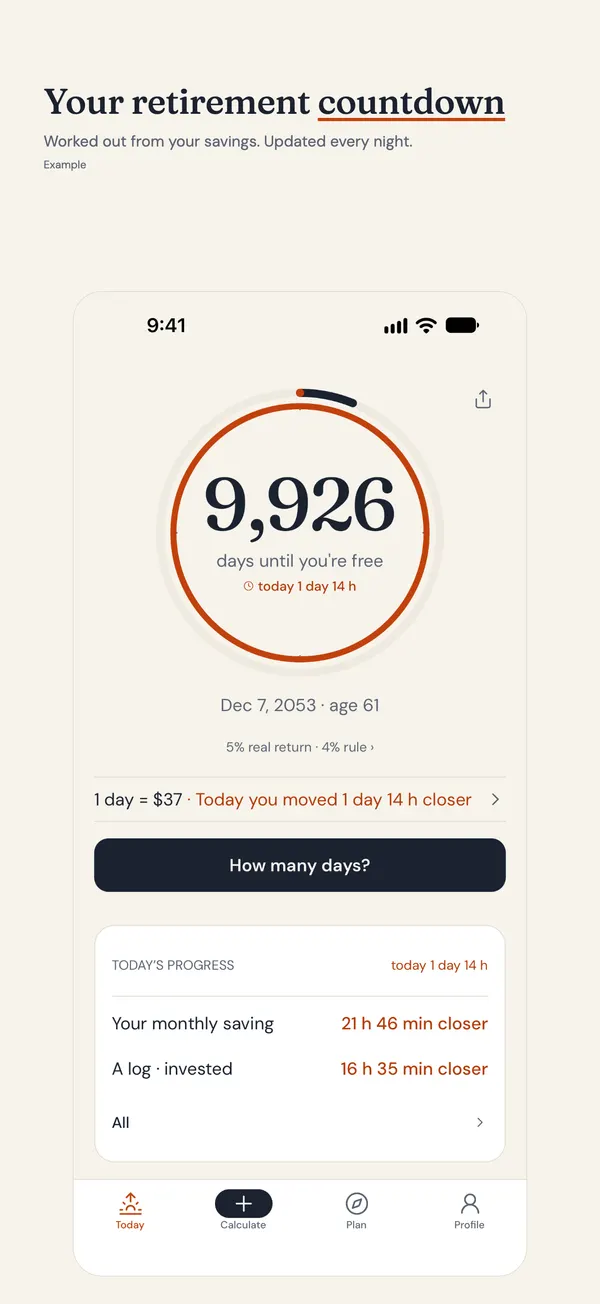
- Countdown apps. They turn the goal into a date and a day count. Simple and motivating, with less depth.
None of these is right for everyone. Many people use two: one for detail and one for daily motivation.
A checklist before you choose
- Privacy. Does it need your bank login or an account? Where do your numbers live? A tool that keeps them on your phone is easier to trust.
- Today's money. Are results shown after inflation? If not, the figures can look better than they are.
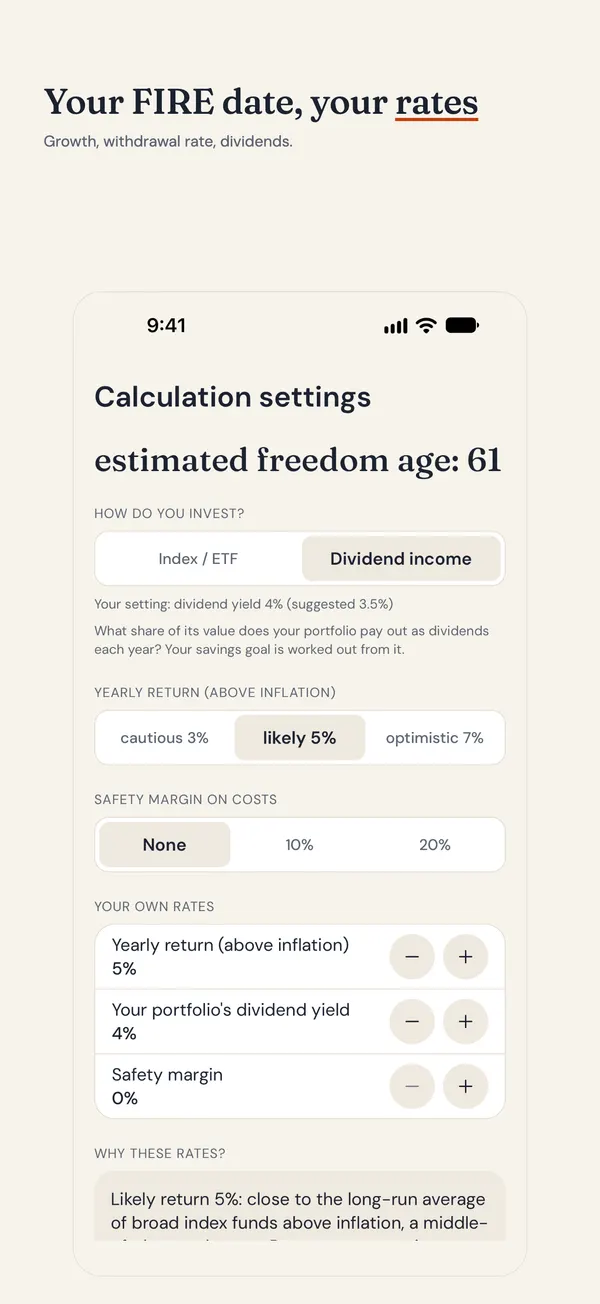
- A range, not one number. The future is uncertain. A cautious, likely and optimistic view is more honest than a single date.
- Cost model. Is it free, ad-supported, a subscription or a one-time purchase? It helps to know what you pay for and what the free version limits.
- Your own assumptions. Can you change the withdrawal rate or growth? Defaults are fine, but they should not be locked.
- Will you use it? A tool that rewards a quick daily look beats one you open twice a year.
What Untilfree does
You enter four numbers: age, savings, monthly investing and monthly spending. It gives you an exact freedom date, a day count that drops by one every night, and a cautious, likely and optimistic range. You can pick index funds (4%) or dividend income (3.5%), and adjust the rate. The Bills view shows which of your bills your savings already cover. "Price it" turns a purchase into days of freedom, and "What if" shows how investing more or spending less moves the date.
There is no account and no bank link; your numbers stay on your phone. It comes in English and Turkish.
What Untilfree does not do
- No taxes, and no 401(k), IRA or ISA account types.
- No state pension or Social Security.
- No couples mode. For a household, enter your combined totals.
- It counts down to full freedom. It does not calculate Coast FIRE or part-time targets.
- Untilfree is coming to the App Store for iPhone; Android is in closed testing.
The free version has ads. Plus is a yearly plan with a free trial, or a one-time purchase; the basics stay free. Plus removes ads and adds unlimited Price it and What if, the widget, your own growth rate and your own safety margin. Price it and What if are unlimited for the first 3 days, then 3 a day free. If you need detailed tax modeling, some people pair a planner with a countdown. For the basics, start with your FIRE number or the FIRE movement guide.
Questions people ask
What should a financial independence calculator app show?
At least a finish date or number, built from your spending and savings, shown in today’s money. A range of outcomes and adjustable assumptions are a plus. A tool that gives one confident number deserves some caution.
Do I need a spreadsheet or an app for FIRE?
Either can work. A spreadsheet gives total control but takes upkeep. An app is quicker and easier to check often. Some people start in an app, then build a spreadsheet when they want more detail.
Are FIRE apps safe to use?
Look at what they ask for. Apps that need bank logins hold more of your data. Tools that work from numbers you type, and keep them on your device, ask for less trust. Read the privacy policy.
Is there a FIRE app for iPhone that works without an account?
Untilfree needs no account and no bank link, and keeps numbers on your phone. It is coming to the App Store for iPhone, so check the store page for availability.
Can an app tell me exactly when I can retire?
No app can promise a date, because markets and life change. A good one shows a range and lets you test changes. Treat the result as a direction to check now and then.
Try the countdown approach
Untilfree turns four numbers into your freedom date and keeps it in view. It is free to start, with ads in the free version, and coming to the App Store for iPhone.
- Cautious, likely and optimistic dates
- No account, no bank link
- Plus: a yearly plan with a free trial, or a one-time purchase; the basics stay free
App Store · Free · Ads, optional Plus · No account · No bank link
Untilfree gives estimates in today’s money (after inflation). Taxes and state pensions are not included. This page is general information, not investment advice.
Published · by Srofia