 Untilfree
A Retirement Countdown App: What to Look For
Some apps count the days to a date you pick. Others count to the day your savings could pay your bills. Knowing which you want makes the choice easy.
Two kinds of countdown
A date countdown. You type in a fixed day, such as your 62nd birthday or your last day at work, and the app counts down to it. Simple, cheerful, and accurate as a calendar.
A freedom countdown. The app works out when your savings could cover your spending, and counts down to that. The date moves when your money does. If you retire at a set date regardless, a date countdown is all you need. If the date itself depends on your savings, you want the second kind.
Where Untilfree fits
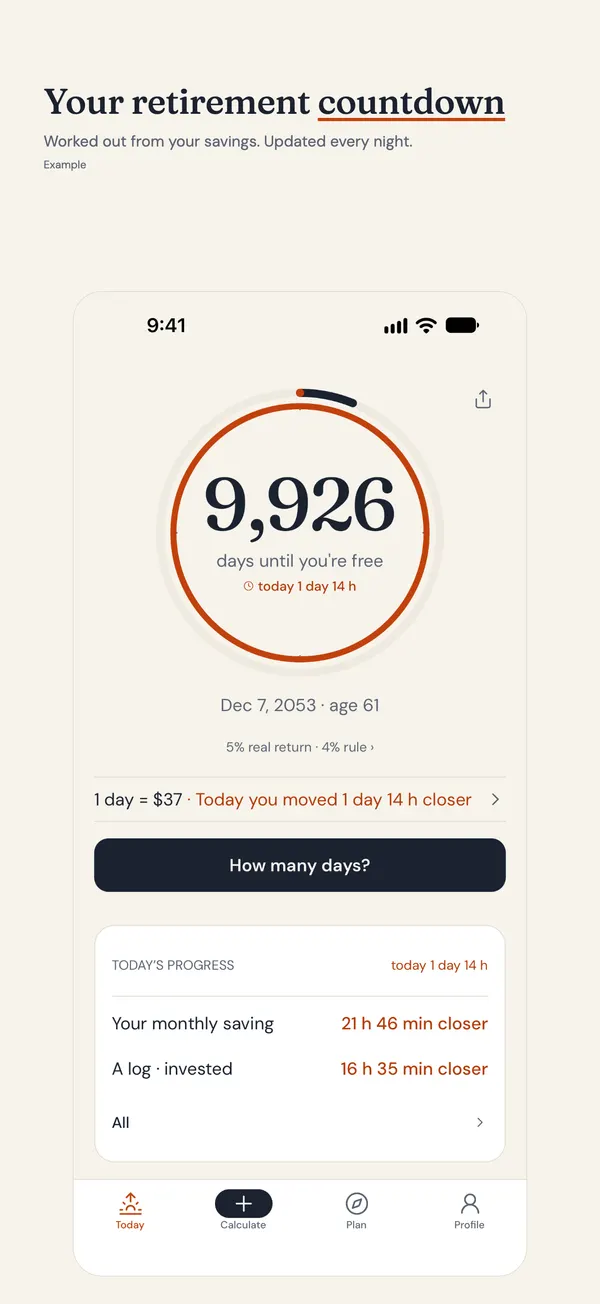
Untilfree is the second kind: a FIRE countdown, not a calendar one. You enter your age, savings, monthly investing and monthly spending, and it gives a freedom date and a day count that drops by one every night. You also get a cautious, likely and optimistic range, because nobody knows future returns.
If all you want is a fixed date on your screen, a simple countdown widget may suit you better, and that is fine. If you want to see how a decision changes the date, that is what this app is for.
What to look for in any countdown app
- A widget you will actually see. A count on your home or lock screen works harder than an app you must remember to open.
- Honest numbers. A range is more believable than one exact day, whatever the app counts.
- No bank link needed. You should not have to hand over account access to count down a number.
- Calm reminders. One note a morning at most, not a stream of pings.
- Clear pricing. Know what is free and what costs money before you start.
iPhone, Android and the widget
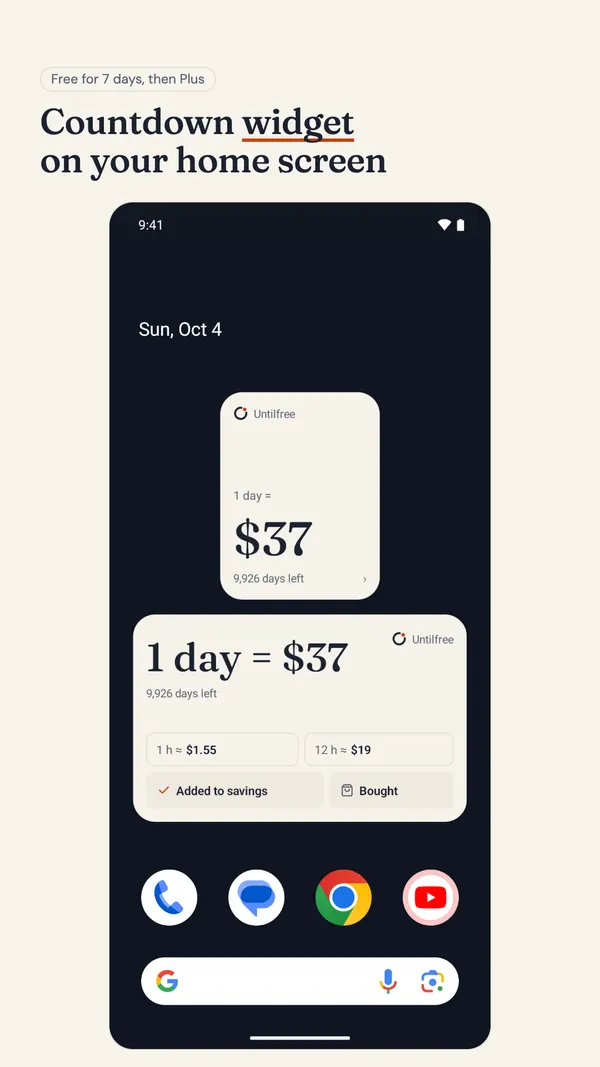
Untilfree is coming to the App Store for iPhone; Android is in closed testing. We do not promise dates. The home screen and lock screen widget is free for your first seven days; after that it is part of Plus (a yearly plan with a free trial, or a one-time purchase). The basics stay free. The rest of the countdown stays free.
A worked example
Dana is 52 and plans to stop at 60. A date countdown would show about 1,800 working days, once weekends, holidays and leave are taken out. That is a good number to see on a Monday morning.
But Dana is also saving $1,200 a month. In Untilfree she would see a freedom date with a cautious, likely and optimistic range, and what happens to it if she saves $200 more a month. A calendar cannot show that.
Making the count part of your day
A countdown works best when it is small and frequent. A widget where you glance at it and a morning note keep the number in view as it falls. For things to do with the count, see retirement countdown ideas, and for the bigger picture, what a retirement countdown is. Comparing kinds of money tools? FIRE apps: what to look for goes through them.
What Untilfree does not do
It does not model taxes, pensions or account types, and it does not link to your bank. It is a countdown with a sound estimate behind it, not a full financial plan.
Questions people ask
Is there a free retirement countdown app for iPhone?
Untilfree is coming to the App Store for iPhone, and the countdown, date and range are free. The home and lock screen widget is free for the first seven days, then needs Plus (a yearly plan with a free trial, or a one-time purchase).
Is there a retirement countdown app for Android?
Not yet. Untilfree for Android is in closed testing and we cannot promise a date. The iPhone app is in review, so check back or use a simple date widget meanwhile.
Is there a retirement countdown widget for iPhone?
Yes, Untilfree has a home screen and lock screen widget showing your days left. It is free for seven days, then part of Plus. It counts to your freedom day, not to a fixed calendar date.
How many days until I retire?
For a fixed date, count calendar days or working days. If your retirement depends on savings, the answer changes with your money. Untilfree gives you a day count that drops by one every night.
Does Untilfree need my bank details?
No. There is no account and no bank link. You type in your own numbers, and they stay on your phone.
A countdown on your lock screen
Four numbers give you a freedom date and a day count that falls every night. Put it on your home or lock screen and watch it get closer.
- Widget free for 7 days, then Plus (yearly plan with a free trial, or one-time)
- Cautious, likely and optimistic range
- One morning note a day at most
App Store · Free · Ads, optional Plus · No account · No bank link
Untilfree gives estimates in today’s money (after inflation). Taxes and state pensions are not included. This page is general information, not investment advice.
Published · by Srofia